Fixing Intermittent Disc Read Errors on a Panasonic 3DO FZ-1
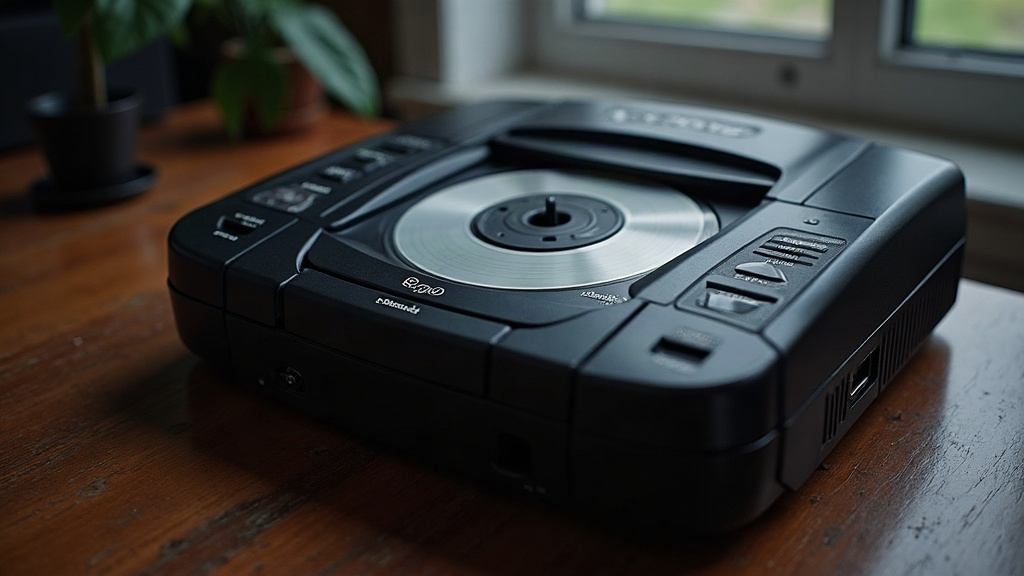
If your Panasonic 3DO FZ-1 reads discs just fine one minute, then throws read errors, freezes, or flat-out refuses to boot the next, you’re not alone. This is one of the most common failure patterns in a console that’s pushing 30 years old now. Intermittent disc read errors almost always come down to one of four culprits: a dirty or fading laser lens, a worn-out spindle/sled belt, a misaligned tray or disc clamp, or capacitor degradation on the drive control board. Below, I’ll walk through diagnosing each one in order of likelihood and cost, starting with a five-minute cleaning and working up to a full belt and capacitor swap.
Why the FZ-1 Specifically Struggles With This
The original Panasonic FZ-1, released back in 1993, uses a CD-ROM drive mechanism that was impressive for its time but built around rubber belts and a laser assembly that were never meant to survive three decades of use. Unlike later 3DO models such as the FZ-10 or the Goldstar GDO-101, the FZ-1’s tray and spindle motor system leans heavily on its belt. That dependency is exactly why it’s so prone to inconsistent spin-up speed, which is the root cause behind most “it works sometimes” complaints.
Step 1: Clean the Laser Lens Properly
Before you touch anything mechanical, rule out the cheapest fix first.
- Power off the console and pull the top shell. You’ll find four Phillips screws underneath, plus a couple of hidden ones tucked under the rubber feet.
- Find the optical pickup, the small lens assembly that travels along the sled rail.
- Dampen a cotton swab lightly with isopropyl alcohol (90% or higher) and wipe the lens gently in one direction only. Never scrub in circles.
- Skip the lens cleaner discs made for regular CD players. They’re too abrasive for a laser this old and tend to do more damage than good.
If discs read perfectly right after cleaning but the problem comes back within a few days or weeks, the lens wasn’t the real issue. Time to look at the belt.
Step 2: Inspect and Replace the Spindle/Sled Belt
This is, hands down, the most common fix for intermittent FZ-1 read errors.
- The belt wraps around the spindle motor pulley and the sled drive. After three decades, factory rubber stretches, hardens, or develops a slick, glazed surface that causes it to slip.
- Telltale signs of a bad belt: a disc reads fine on insertion but errors out mid-game, the drive spins up slowly or unevenly, or you hear a faint grinding noise as the motor strains against a belt that won’t grip.
- Replacement belts for the FZ-1 aren’t hard to find. Search “3DO FZ-1 belt kit” on any retro repair parts site, and you’ll usually pay somewhere between $5 and $10.
- When you install the new one, make sure it sits flat in its groove without any twist. A twisted belt will reproduce the exact same intermittent symptoms you started with, so double check this before closing the case back up.
Step 3: Check Disc Clamp and Tray Alignment
Still having trouble after cleaning and a belt swap? Move on to the mechanical alignment.
- The disc clamp, that small magnetic hub holding the disc against the spindle, can wear unevenly over time and cause the disc to wobble while it spins.
- Open the tray and spin the clamp by hand. It should turn smoothly, with zero looseness or wobble. If it catches or feels gritty, that’s your answer.
- Dust and grime on the sled rails can also make the laser carriage stick at random moments. Wipe the rails down with a lint-free cloth and add a small amount of PTFE-based lubricant. Stay away from WD-40 here; it attracts dust like a magnet and makes things worse over time.
Step 4: Consider Capacitor Replacement
If disc errors show up alongside other oddities, like random resets, crackly audio, or a flickering power LED, the electrolytic capacitors on the control board may be drying out. This fix is a step up in difficulty and requires basic soldering skills:
- The usual failure points sit near the drive controller chip and the power regulation section of the board.
- A full capacitor “recap kit” for the FZ-1 is sold by a handful of retro-repair vendors, and it tends to fix stability issues that no amount of belt or lens work will touch.
When to Consider a Drive Swap Instead
If the spindle motor’s bearings have worn out (listen for a faint whine or grinding even after you’ve installed a fresh belt), your best bet is usually pulling a complete replacement drive mechanism from a donor unit. Motors for this console aren’t sold individually, so trying to repair the motor itself is rarely worth the effort.
Quick Troubleshooting Checklist
- Clean the lens first. It’s the cheapest, fastest test you can run.
- Replace the belt if the symptoms return after cleaning.
- Check the clamp for wobble and give the rails a clean.
- Recap the board if other electrical symptoms show up.
- Swap the drive mechanism only as a last resort.
Conclusion
Intermittent disc read errors on a Panasonic 3DO FZ-1 almost never mean the console is dying. Nine times out of ten, it’s mechanical wear that you can fix at home with basic tools and a bit of patience. Start with a lens cleaning. If that doesn’t hold, move to a belt replacement, and check the clamp alignment before you start assuming the worst. A $10 belt kit and half an hour of your time is usually all it takes to get an FZ-1 reading discs reliably again, often for years to come.