Restoring Faded Atari 2600 Cartridge Labels for Holiday Display
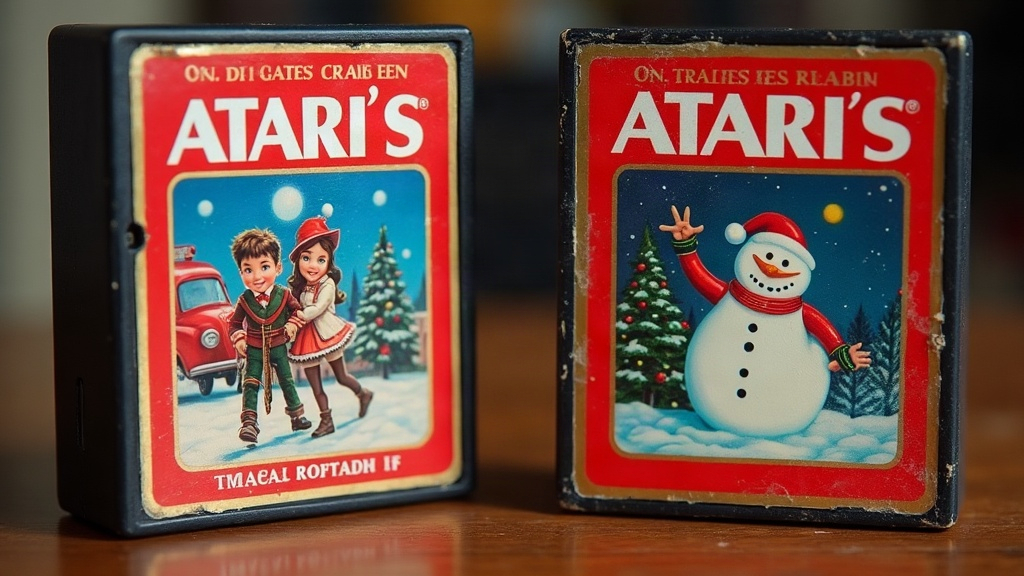
If your Atari 2600 cartridges look sun-bleached, scuffed, or like they’re shedding their labels right before your holiday retro display goes up, don’t panic. You can bring them back with careful cleaning, a bit of light repair, and some smart preservation habits, all without wrecking the original artwork or tanking collector value. Below is the same approach long-time Atari collectors have used for years, so your shelf of classics actually looks good under the tree instead of embarrassing you.
Why Atari 2600 Labels Fade in the First Place
Atari 2600 cartridge labels were printed back in the late 1970s and 1980s, using inks and adhesives nobody expected to survive four decades. They didn’t. Here’s what usually causes the damage:
- UV exposure from sunlight or even display lighting left on too long
- Basement or attic humidity, which slowly breaks down the adhesive underneath
- Sticker residue left behind by old price tags or rental store labels (Blockbuster-era stickers are notorious for this)
- Handling oils built up from decades of sweaty-palmed gameplay
- Cheap plastic cases that yellow, warp, and drag the label along with them
Knowing the cause matters. Pick the wrong fix and you can turn a faded label into a ruined one.
Before You Touch Anything: Assess Value First
If you’re holding something like Air Raid, Chase the Chuck Wagon, or a sealed E.T., put the cleaning supplies down for a second. Get a professional opinion first. Aggressive restoration on a graded or investment-grade cartridge can actually knock its value down, sometimes significantly. But if you’re dealing with the common stuff, Pitfall!, Combat, Pac-Man, and the like, go ahead. Display-focused cleanup is low-risk here and won’t meaningfully hurt resale.
Safe Cleaning Steps for Faded Labels
- Dust first, dry. Wipe away loose grime with a soft microfiber cloth before any liquid gets near the label.
- Spot-test your cleaner. Mix one drop of mild dish soap into distilled water. Try it on a hidden corner of the label first, never the front artwork.
- Wipe, don’t scrub. A barely damp cotton swab, moved in one direction only, lifts dirt without smearing forty-year-old ink.
- Remove sticker residue carefully. Isopropyl alcohol (91% or higher) on a cotton swab handles most residue, but go easy, saturating vintage ink is how labels get ruined. Test a small spot first.
- Dry flat. Let the cartridge air dry, label facing up, on a towel for at least an hour before you handle it again.
Dealing With Peeling or Lifting Labels
Peeling corners show up constantly on older Atari carts, mostly because the original adhesive just dried out over time.
- Reach for acid-free archival glue stick or a small dab of PVA adhesive to reattach the corner. Skip super glue entirely; it yellows and warps paper within months.
- Press the label flat under a book (wrap it in wax paper first) and leave it for 24 hours.
- If the label is actually torn, resist the temptation to reach for tape. An archival Mylar sleeve protects it without any permanent alteration.
Reviving Color Without Repainting
Cleaning won’t reverse chemical fading, that ship has sailed once the ink breaks down. But there’s plenty you can do to make a cartridge look better on the shelf:
- UV-filtering display cases stop further fading and, as a bonus, make existing colors look sharper under normal indoor light.
- Soft warm LED lighting (skip daylight-spectrum bulbs) brings out faded reds and oranges far better than cool white light does.
- Contrast staging, think dark shelf backing or black felt, tricks the eye into seeing more vibrancy than is actually there.
One thing to avoid completely: colored markers or ink pens “touching up” the original label. That’s a permanent alteration, and it will crater the value of anything worth caring about.
Protecting Cartridges for the Season
Once the labels are clean and stable, it’s time to think about protecting them through the holidays:
- Use acrylic display stands sized properly for cartridge width, not generic shelving that lets carts wobble or tip
- Rotate anything near a window out of direct light every few days
- Keep the display area between 60 and 75°F, with humidity that doesn’t swing wildly
- For a beat-up common cart, consider a printed reproduction label for display, and tuck the real one away safely in storage
Quick Checklist Before Display Day
- Dust and spot-clean labels
- Reattach peeling corners with archival adhesive
- Photograph the before/after condition for your own records
- Choose UV-safe cases or shelving away from direct light
- Keep rare or valuable carts separate from your display-only pieces
Final Thoughts
Patience is really the whole trick here. Gentle cleaning, careful reattachment, and a little thought about lighting can turn a faded, tired-looking collection into something holiday-ready again, without touching the original artwork or the value underneath it. If you’re ever unsure which way to go, preserve first and worry about looks second. Your future self, and your collection’s resale value, will both thank you for it.