How to Photograph Glossy PS1 Longbox Games Without Glare
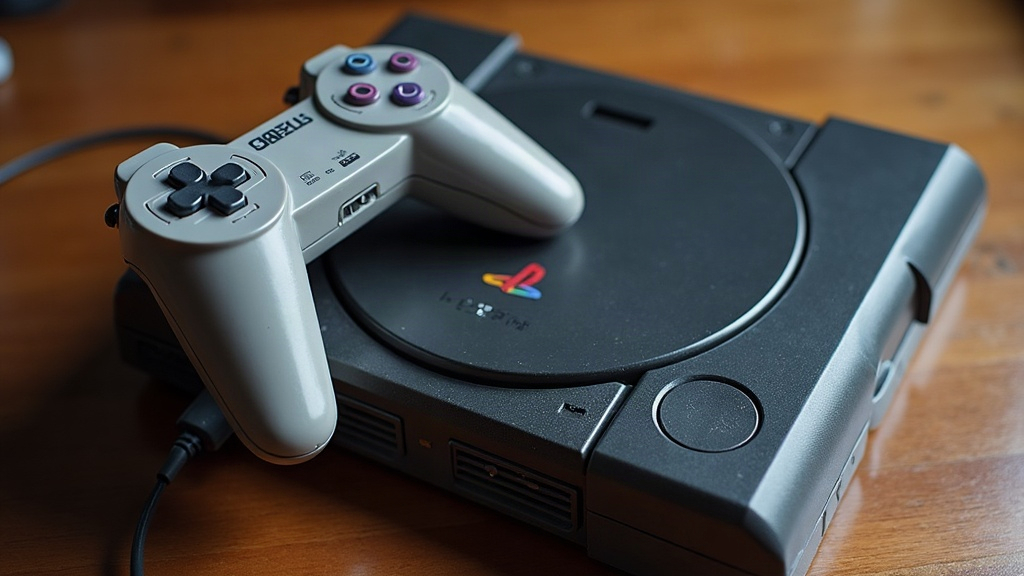
If you’ve ever tried to photograph a glossy PlayStation longbox for an online listing, you know the drill. No matter where you stand, a bright white blob of reflected light lands right over the title, like it’s doing it on purpose. Here’s the good news: photographing glossy PS1 longbox games without glare is completely doable with stuff you already have lying around the house. No studio lights, no softboxes, no $200 lightbox kit required.
Why Longboxes Are So Hard to Photograph
Original PlayStation longboxes came with a high-gloss laminate finish. It looks gorgeous in person, sitting on a shelf catching the light just right, but point a camera at it and that same finish turns into a mirror. Ceiling lights, window light, camera flash, it all bounces straight back into the lens. That’s exactly why so many eBay and Facebook Marketplace listings for longbox titles show washed-out covers or weird streaks of light that hide the details buyers actually care about: spine wear, dinged corners, sticker residue from an old video store price tag.
Step 1: Kill the Direct Light Sources
The single biggest fix is switching from direct light to diffused light. That’s it, that’s 80% of the battle.
- Turn off overhead lights and ceiling fixtures directly above your shooting area.
- Never use your phone’s built-in flash. It’s practically the number one cause of glare on glossy cases, every single time.
- Use window light instead, but angle the box so the light hits it sideways rather than straight-on.
Step 2: Build a DIY Light Tent
Forget buying a lightbox. A simple homemade diffuser does the job just as well:
- Grab a large white bedsheet, a shower curtain, or even a few sheets of printer paper taped together.
- Hang it between your light source and the longbox so the light coming through is soft and indirect.
- Set two lamps (ordinary desk lamps are fine) on either side, both aimed through the diffusing material instead of directly at the case.
This spreads the light out so it wraps around the glossy surface instead of slamming into one spot and bouncing straight back at you.
Step 3: Angle the Camera, Not Just the Light
Here’s the part people forget: even with perfectly diffused lighting, shooting straight-on can still catch a reflection of your ceiling, or worse, your own face.
- Tilt the longbox back slightly, about 5 to 10 degrees, propped on a small stand or leaned against a book.
- Shoot from a bit above eye level rather than dead flat.
- Look at your LCD screen or viewfinder and check for your own reflection. Shift your position a few inches until you vanish from the glossy surface.
Step 4: Use a Polarizing Filter (Optional but Effective)
If you’re shooting with a DSLR, a mirrorless camera, or even a clip-on lens for your phone, a circular polarizing filter (CPL) is hands down the most effective tool against reflections on glossy plastic. Rotate it slowly while looking through the viewfinder, and watch the glare just melt away. It genuinely feels like a magic trick the first time you try it.
Step 5: Background and Surface Matter
A matte, neutral background keeps extra light from bouncing back onto your box:
- Black or dark gray felt, matte poster board, or a cutting mat all work well.
- Stay away from white poster board, glass tables, or glossy desks. These just toss light right back at the longbox and undo everything you just fixed.
Quick Checklist Before You Shoot
- Lights diffused through fabric or paper, not pointed directly
- No flash, ever
- Checked for your own reflection (and the camera’s) and removed it
- Box tilted slightly, not sitting flat
- Polarizing filter on, if you have one
- Matte, dark background in place
Editing Without Overdoing It
A touch of post-processing helps, but buyers want an honest picture, especially when condition grading affects price. In a free app like Snapseed or Google Photos:
- Pull highlights down slightly to tame any leftover hot spots.
- Bump shadows up just a little to bring out spine and corner detail.
- Skip heavy saturation or contrast edits. Misrepresenting condition, even by accident, can tank your seller rating fast.
Why This Matters for Selling
Glossy PS1 longboxes keep climbing in value among collectors, and condition is pretty much everything in that market. A blurry or glare-covered photo makes buyers assume you’re hiding damage, even when there’s nothing to hide. Clean, glare-free photos build trust, justify asking a bit more, and cut down on the “this isn’t what I expected” return requests that eat into your profit and your patience.
Conclusion
Photographing glossy PlayStation longbox games without glare really comes down to controlling your light, not fighting your camera. Diffuse the source, angle the case and the camera the right way, and reach for a polarizing filter when reflections just won’t quit. Do that, and your listings will look sharper and more trustworthy than most of the competition, showing exactly what collectors are hoping to see.