TurboGrafx-16 Mini vs Original PC Engine with EverDrive Guide
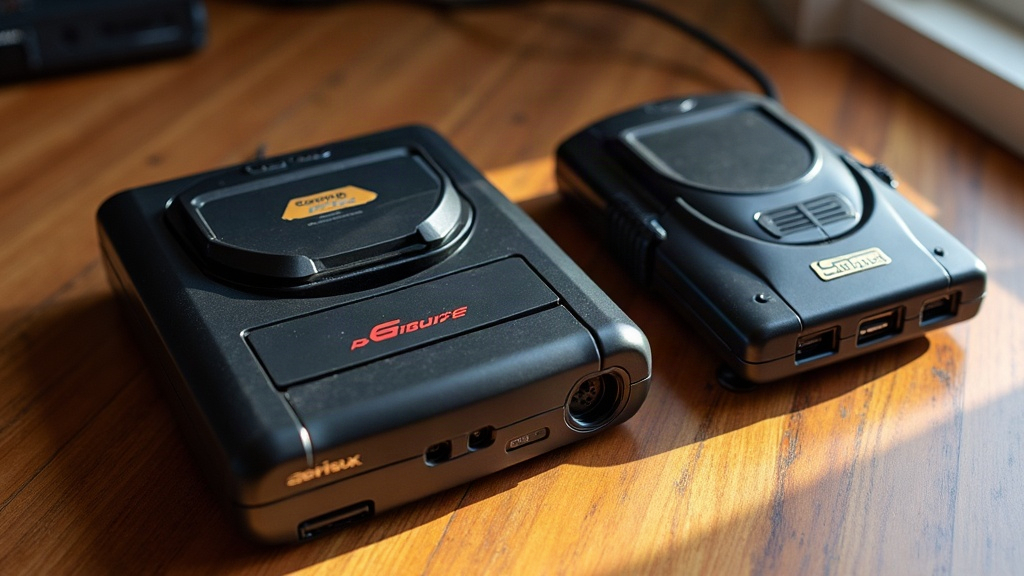
TurboGrafx-16 Mini vs Original PC Engine with an EverDrive: Which Should a First-Time Collector Buy?
If you’re just getting into the TurboGrafx-16/PC Engine scene, you’ll hit a fork in the road pretty quickly. Path one: grab the officially licensed TurboGrafx-16 Mini, a plug-and-play box with a curated library baked in. Path two: hunt down an original PC Engine console and pair it with an EverDrive flash cart, which opens the door to the real hardware library, Japan-only games, HuCard imports, all of it. Both are legitimate starting points, but they’re built for different kinds of collectors. One’s about convenience and a shot of nostalgia. The other’s about authenticity and building something you can keep growing for years.
Quick Verdict
- Just want to sample TurboGrafx/PC Engine games cheaply, no setup headaches? Get the Mini.
- Want to actually collect, run original hardware, and dig into the much bigger Japanese PC Engine catalog? Buy a real PC Engine and an EverDrive.
- Want convenience now but a long-term hobby later? Start with the Mini. Upgrade once you know you’re hooked.
What You Actually Get With the TurboGrafx-16 Mini
The Mini is a compact HDMI box preloaded with roughly 50-60 games (the exact count shifts a bit between the TurboGrafx-16 Mini and the PC Engine CoreGrafx Mini, depending on region). Here’s what’s in the box:
- A wired two-button controller (the six-button pad was sold separately)
- Save states and quick-resume, features the original hardware never had
- No cartridges, no CDs, zero compatibility guesswork
- A fixed library: what’s loaded on the machine is what you get, full stop
That last point makes it a solid low-risk way to sample the catalog. Games like Bonk’s Adventure, Ninja Spirit, and Gate of Thunder show you exactly why this platform has such a devoted following, especially among shooter fans. But purists have knocked the emulation for input lag and shaky CD-audio handling on certain builds. And once you’ve worked through the included games? That’s it. There’s no expanding the collection, no discovering something new next month.
What You Actually Get With an Original PC Engine + EverDrive
An original PC Engine (or US TurboGrafx-16) is real silicon running real code, output through composite, RGB, or HDMI if you’ve modded it. Pair that with an EverDrive Pro/GT (or a Turbo EverDrive if you only care about HuCard games) and here’s what opens up:
- The entire HuCard library, including hundreds of Japan-exclusive titles that never got a Western release
- The option to load ROM translations and fan patches straight from an SD card
- Save states on some EverDrive models, and timing that’s much closer to genuine hardware behavior
- A system that actually grows with you: CD-ROM² add-ons, Super CD-ROM², Arcade Card support for the entire CD library
The trade-off is cost and effort. A working PC Engine console runs somewhere between $60 and $150 depending on region and condition, and a genuine EverDrive Pro/GT tacks on another $150-200 or more. Want the CD-ROM² library too? Now you’re hunting down a separate CD unit or a Duo variant, and the budget climbs again. There’s a real learning curve here too: region quirks (PC Engine is NTSC-J, TurboGrafx is NTSC-U, same guts, different shell), tracking down the right AV cables, and figuring out which EverDrive model handles which media format.
Library Size: The Real Deciding Factor
This is what actually pushes serious collectors toward hardware. The TurboGrafx-16 only ever saw a sliver of the roughly 700+ games released for the Japanese PC Engine. Whole genres, dating sims, shoot-‘em-ups, RPGs, basically got skipped in the West entirely. Pop in an EverDrive and that entire catalog is suddenly yours. The Mini, by contrast, locks you into whatever slate of games the manufacturer decided to include.
Cost Breakdown for First-Timers
| Path | Approx. Cost | What You Get |
|---|---|---|
| TurboGrafx-16 Mini | $80-100 | ~50-60 games, plug-and-play |
| PC Engine (console only) | $60-150 | Real hardware, needs cables/controller |
| PC Engine + EverDrive Pro/GT | $220-350 | Full HuCard library + save states |
| Add CD-ROM²/Duo support | +$100-300 | Full CD-based library access |
Which One Should You Actually Buy First?
If this is your first real brush with the platform and you’re not sure it’ll click for you, the Mini is the sensible move financially. It’s a low-commitment way to dip a toe in. But if you already know you love shooters, action-platformers, or those Japan-only genres, and you’re the kind of collector who wants to own and build a system rather than just try it out, skip the Mini entirely and go straight for an original console with an EverDrive. You’ll pay more up front, sure, but you sidestep that “now what” moment that hits every Mini owner once they’ve burned through the built-in library.
Conclusion
The TurboGrafx-16 Mini and an original PC Engine with an EverDrive aren’t really rivals. They’re two different chapters of the same hobby. Think of the Mini as a taste test and the EverDrive setup as the full meal. If you’re on a budget or still deciding whether this console is even your thing, start with the Mini. If you’re ready to commit to real hardware and dive into the much deeper PC Engine catalog, that’s where the original console plus an EverDrive earns its keep, and where the real collecting experience begins.